> For the complete documentation index, see [llms.txt](https://docs.shieldproxies.com/llms.txt). Markdown versions of documentation pages are available by appending `.md` to page URLs; this page is available as [Markdown](https://docs.shieldproxies.com/using-your-proxies/generate-residential-proxies.md).
# Generate Residential Proxies
Generate a Residential proxy list from the Shield Proxies dashboard.
Residential proxy lists are generated from the **Residential** section of the Shield Proxies dashboard.
{% hint style="info" %}
Before generating a large list, confirm the provider, session type, location, proxy format and any provider-specific options required by your application.
{% endhint %}
{% stepper %}
{% step %}
### Open your Residential plan
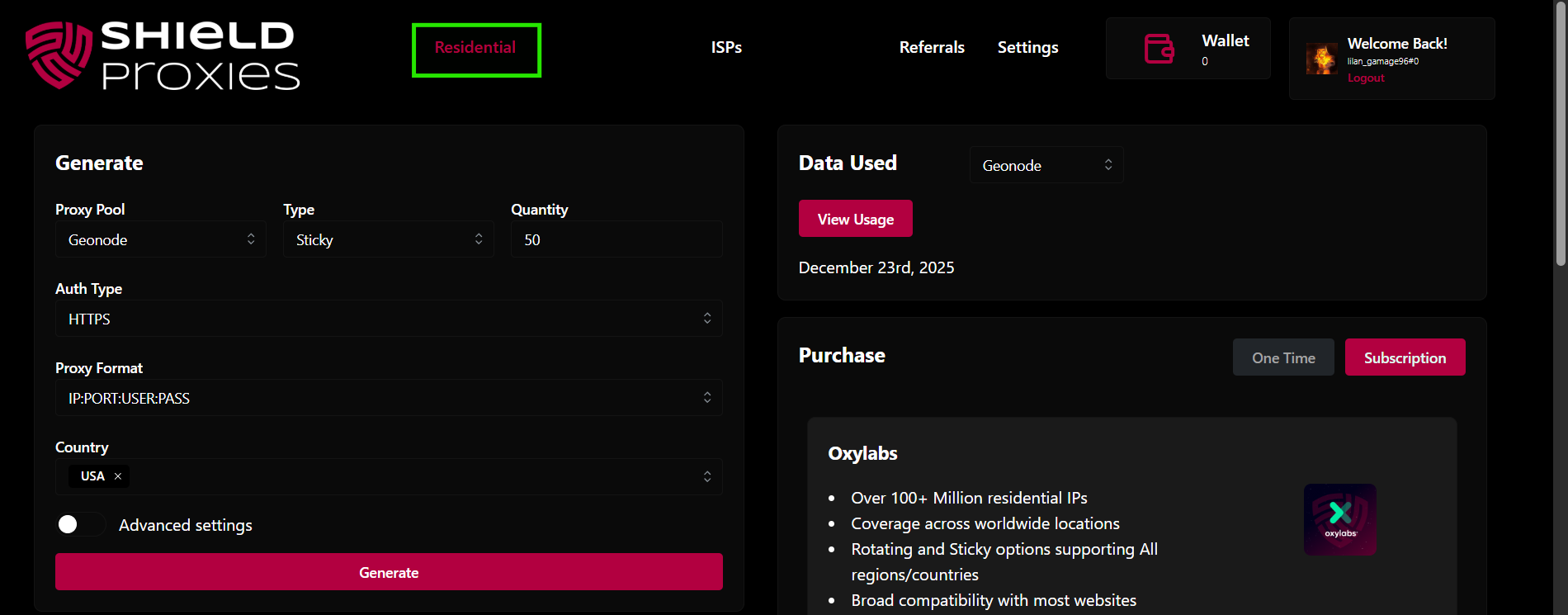
Open the [Residential dashboard](https://dashboard.shieldproxies.com/residential).
Residential products in the Shield Proxies dashboard
Select the Residential plan you purchased.
Select the Residential plan you want to generate from
{% endstep %}
{% step %}
### Configure the proxy list
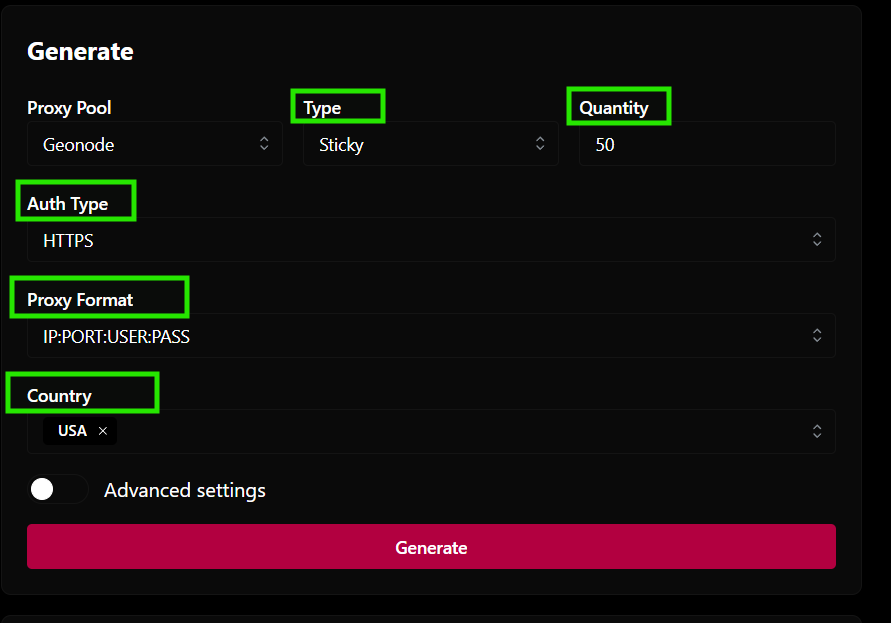
Choose the settings required for your workflow:
* **Type:** Sticky, Rotating, or Custom
* **Quantity:** Number of proxy entries to generate
* **Authentication / protocol:** Choose the available HTTPS, SOCKS5 or provider-specific option
* **Proxy Format:** Select the format required by your application
* **Location:** Choose the available country, state, or city targeting options
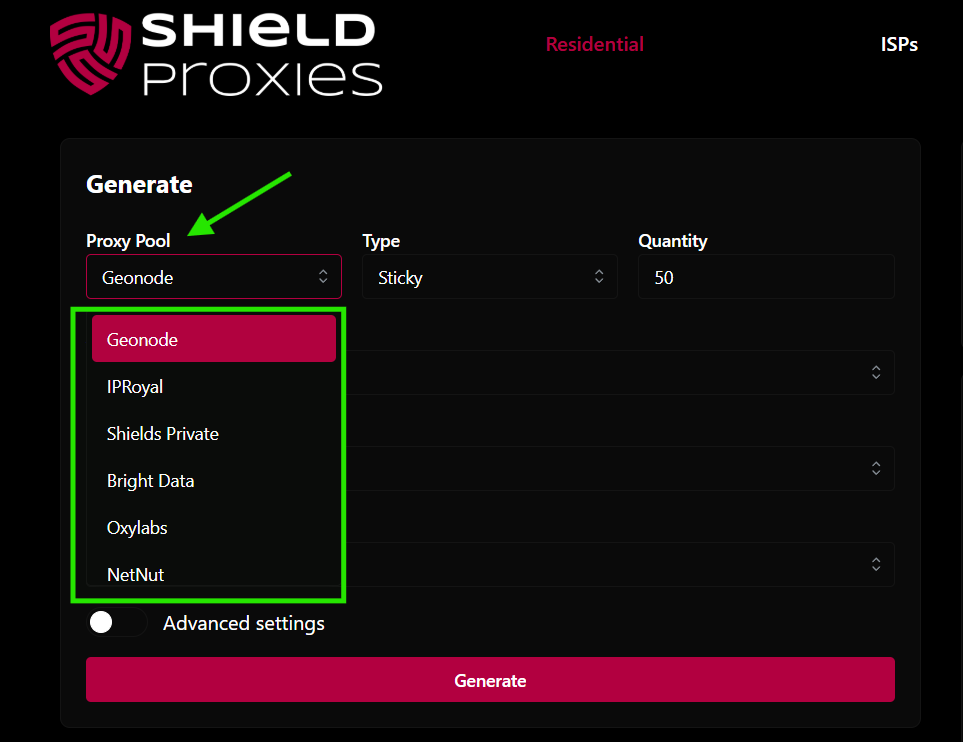
* **Provider-specific options:** Where shown, configure features such as Shield Private optimization modes, GeoNode Pool Mode/UDP, or the IPRoyal Streaming Special Pool
Residential proxy generation settings
{% endstep %}
{% step %}
### Generate the list
Click **Generate**. Your generated proxy list can then be copied into the application you are configuring.
{% endstep %}
{% step %}
### Test advanced configurations before scaling
Optimization modes and special pools change which available proxies are selected. Generate a small sample first and test it against the intended target and application.
{% endstep %}
{% endstepper %}
## Advanced provider options
* [Shield Private Optimization Modes](https://docs.shieldproxies.com/using-your-proxies/shield-private-optimization-modes.md)
* [GeoNode Pool Mode](https://docs.shieldproxies.com/using-your-proxies/geonode-pool-mode.md)
* [Use UDP with GeoNode Residential Proxies](https://docs.shieldproxies.com/using-your-proxies/use-udp-with-geonode-residential-proxies.md)
* [Enable the IPRoyal Streaming Pool](https://docs.shieldproxies.com/using-your-proxies/enable-iproyal-streaming-pool.md)
## Related guides
* [Proxy Formats: Rotating, Sticky & ISP](https://docs.shieldproxies.com/using-your-proxies/proxy-formats-rotating-sticky-isp.md)
* [Create a Custom Proxy Pool](https://docs.shieldproxies.com/using-your-proxies/create-custom-proxy-pool.md)
* [Test Your Proxies](https://docs.shieldproxies.com/using-your-proxies/test-your-proxies.md)