> For the complete documentation index, see [llms.txt](https://docs.shieldproxies.com/llms.txt). Markdown versions of documentation pages are available by appending `.md` to page URLs; this page is available as [Markdown](https://docs.shieldproxies.com/residential-proxy-guides/residentials-proxy-generation.md).

# Residentials Proxy Generation

## Residential Proxy Generation

There is currently one method to generate Shield residential proxy lists, available in the Residential section of our dashboard.\
\
**Proxy Generation via dashboard -** [**https://dashboard.shieldproxies.com/residential**](https://dashboard.shieldproxies.com/residential)\
\
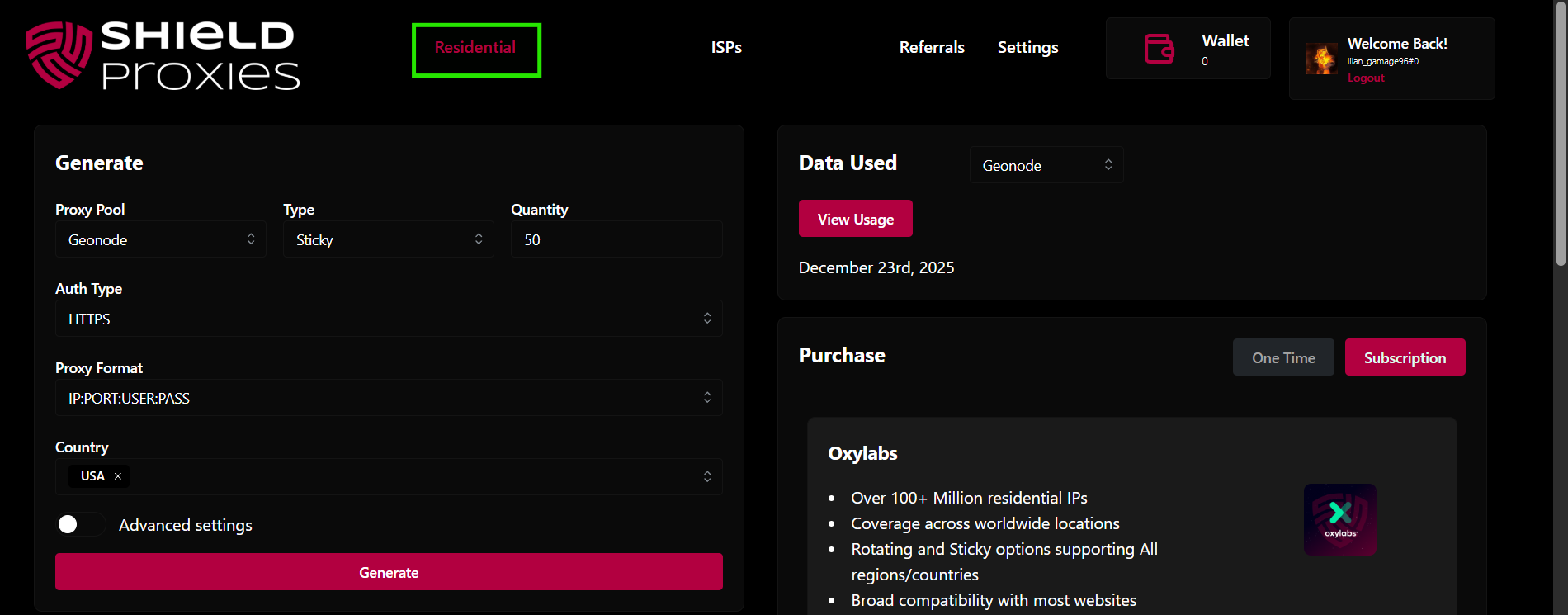
1\. Start by navigating to the Residential section within your dashboard

<figure><img src="https://3890962138-files.gitbook.io/~/files/v0/b/gitbook-x-prod.appspot.com/o/spaces%2F64dwgS9tJiaWpfLkXe2n%2Fuploads%2Fgit-blob-847ad2056e7e04939f6c3c4b5ce50068c055acff%2Fimage.png?alt=media" alt=""><figcaption></figcaption></figure>

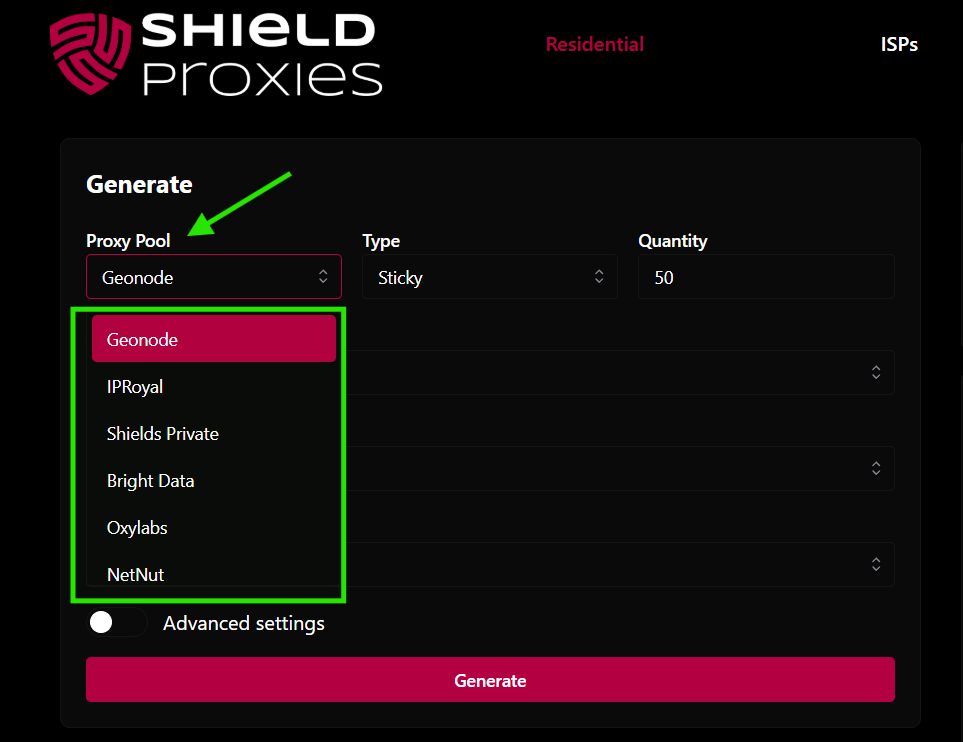
2. Make sure you have selected the correct purchased Residential plan from the dropdown menu in the dashboard.

   <figure><img src="https://3890962138-files.gitbook.io/~/files/v0/b/gitbook-x-prod.appspot.com/o/spaces%2F64dwgS9tJiaWpfLkXe2n%2Fuploads%2Fgit-blob-6b8cd52b8355e08570362af2e3c36d0c70031466%2Fimage.png?alt=media" alt="" width="375"><figcaption></figcaption></figure>
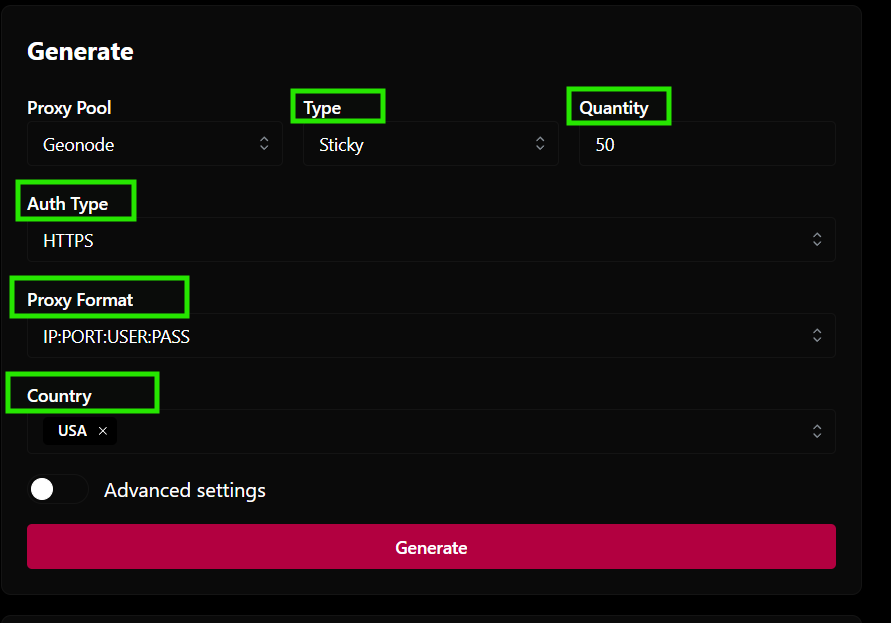
3. Choose configuration\
   \- Under Type, Select Sticky or Rotating or Custom\
   \- Under Quantity, select the number of proxies needed\
   \- Authentication (HTTPS/ SOCKS5)\
   \- Proxy Format\
   \- Select the country / city / state\ <br>

   <figure><img src="https://3890962138-files.gitbook.io/~/files/v0/b/gitbook-x-prod.appspot.com/o/spaces%2F64dwgS9tJiaWpfLkXe2n%2Fuploads%2Fgit-blob-9a40e6184edd04469369e85426d00e080898f7c1%2Fimage.png?alt=media" alt="" width="375"><figcaption></figcaption></figure>
4. **Click Generate!**