> For the complete documentation index, see [llms.txt](https://docs.shieldproxies.com/llms.txt). Markdown versions of documentation pages are available by appending `.md` to page URLs; this page is available as [Markdown](https://docs.shieldproxies.com/dashboard/default-country.md).
# Set Your Default Country
Set or change the default country used in your Shield Proxies dashboard settings.
The default country setting lets you choose the country the dashboard should use as your default selection where supported.
## 1. Open Settings
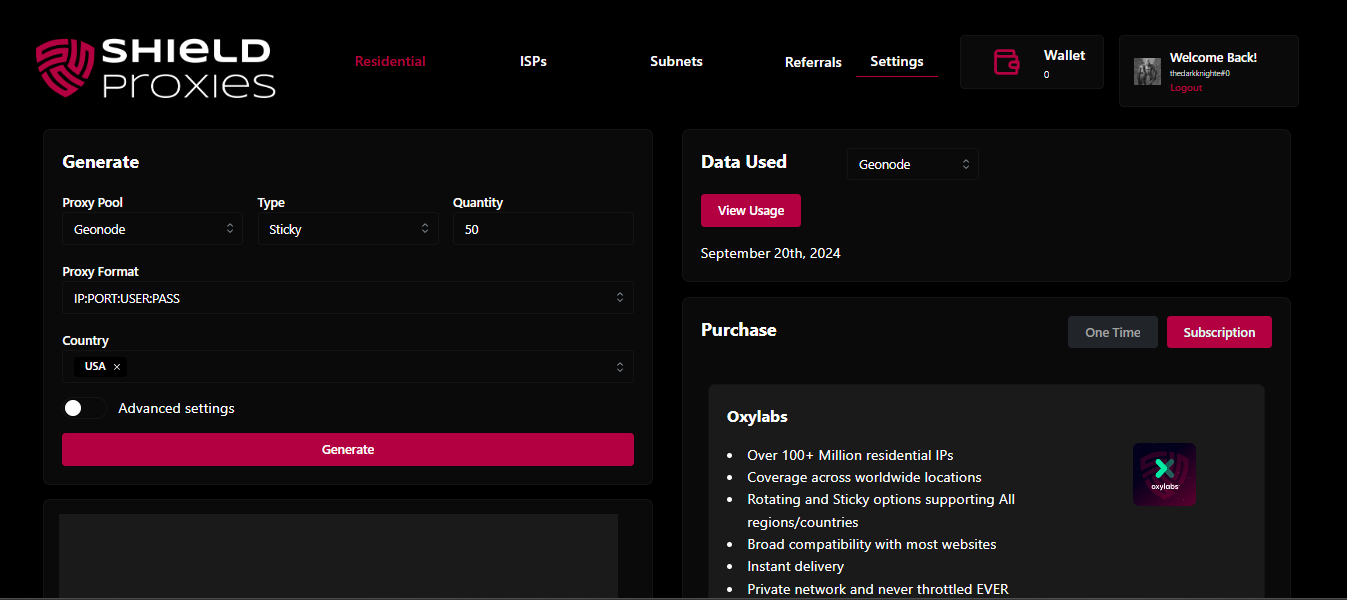
Open the Shield Proxies customer dashboard and click **Settings**.
Open Settings from the customer dashboard
## 2. Choose your country
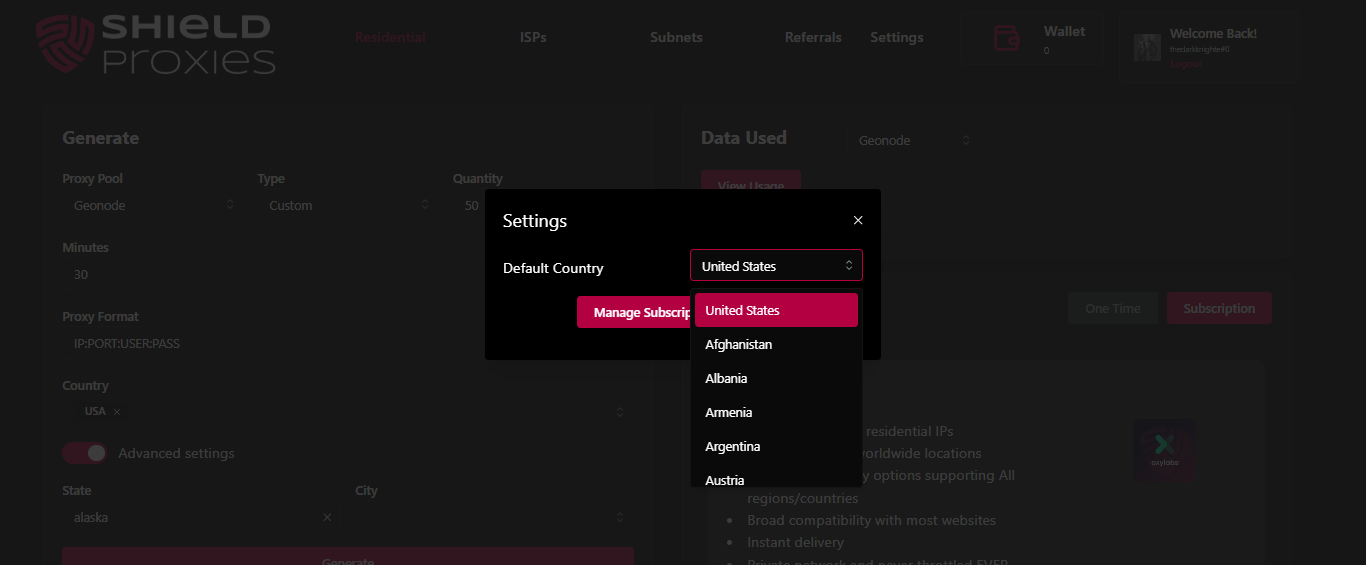
Open the **Default Country** dropdown and select the country you want to use as the default.
Select the default country for supported dashboard workflows
{% hint style="info" %}
Provider-specific targeting options can still vary even when a default country is selected.
{% endhint %}
## Related guides
* [Account Settings](https://docs.shieldproxies.com/dashboard/account-settings.md)
* [Generate Residential Proxies](https://docs.shieldproxies.com/using-your-proxies/generate-residential-proxies.md)